Your comments


Hi, thanks for using Hebcal and our yahrzeit email reminder service.
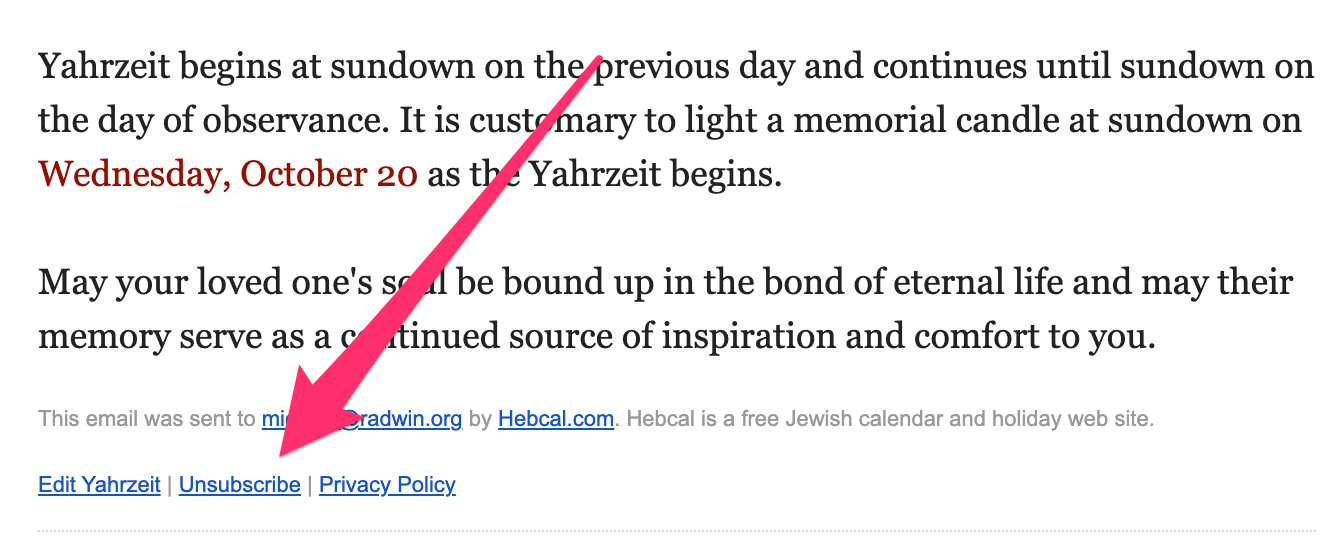
You'll find an "edit Yahrzeit" link next to the "Unsubscribe link" at the bottom of every Yahrzeit email reminder message like the following:
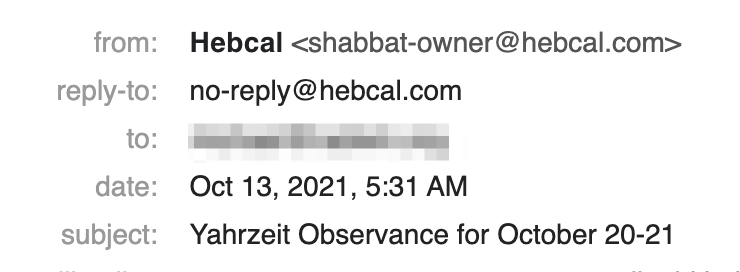
Yahrzeit reminder email messages come from Hebcal and have a subject like "Yahrzeit Observance for October 20-21"
If for some reason you can't find the Yahrzeit message, please send an email to mradwin@hebcal.com and we'll look your email address up in our database and get you the right link.

Hi, thanks for writing to the Hebcal Jewish Calendar support page.
We don't conduct Shabbat services - we're just an online calendar resource.
Hebcal (pronounced HEEB-kal, as in Hebrew calendar) is a free Jewish calendar and holiday web site.
Our mission is to increase awareness of Jewish holidays and to help Jews to be observant of the mitzvot.
We offer a powerful custom Jewish calendar tool that lets you generate a list of Jewish holidays for any year (past, present or future). Also available are a Hebrew date converter, Shabbat candle lighting times and Torah readings (both full kriyah and triennial system), and a page to look up yahrzeits, birthdays and anniversaries.
Hi,
https://www.hebcal.com/converter?gd=29&gm=3&gy=1942&g2h=1
- Sun, 29 March 1942 = 11th of Nisan, 5702
- י״א בְּנִיסָן תש״ב
Since Passover is the 15th of Nisan, the parsha that week was Pesach.
We've launched our new Mishna Yomi feature!
https://www.hebcal.com/home/3881/mishna-yomi
Thanks again for the suggestion.
We recommend you first follow the aforementioned instructions to first remove all copies of Hebcal events from your calendars. The instructions you originally used to import Hebcal events were our previous Outlook Mac 2011 instructions. Outlook for Mac 2011 did not support iCalendar subscriptions and cloud sync, so it required downloading a copy of events from Hebcal.com and manually managing them on your desktop.
Starting with Outlook for Mac 2016, Microsoft now recommends that you sync your account to the Microsoft Cloud. “Available for Google, Yahoo, iCloud, and IMAP accounts in Outlook for Mac, this allows you to enjoy many of the best features of Mail and Calendar and Outlook for Mac.”
We recently published detailed instructions that show how to subscribe to Hebcal events in modern versions of Outlook for Mac using the cloud sync feature with Outlook Web (Outlook.com) account. Please follow these instructions to restore the Hebcal events to your desktop:
https://www.hebcal.com/home/3867/outlook-for-microsoft-365-for-mac-jewish-holidays-download
Thanks for the suggestion! This would be an excellent addition to the Hebcal.com website.
We will investigate the details and hope to offer this feature sometime in 5782.
Hi, thanks for using Hebcal. We're so sorry to hear about your problem with duplicate events on Outlook for macOS.
Here are some instructions for removing Hebcal events from Outlook on macOS:
https://www.hebcal.com/home/1113/mac-outlook-2011-remove-hebcal-jewish-calendar
https://www.hebcal.com/home/1860/outlook-mac-delete-hebcal-jewish-calendar-merged-events
Hi, thanks for writing to us. We're so sorry to hear about the difficulty you're having with finding the Jewish holidays for Gregorian year 2022.
Unfortunately, we aren't able to reproduce the error you mentioned. Could you send us a URL or a screenshot of the page where you are seeing something incorrect?
Customer support service by UserEcho