Your comments

Hi, thanks for using Hebcal, and thanks for your question!
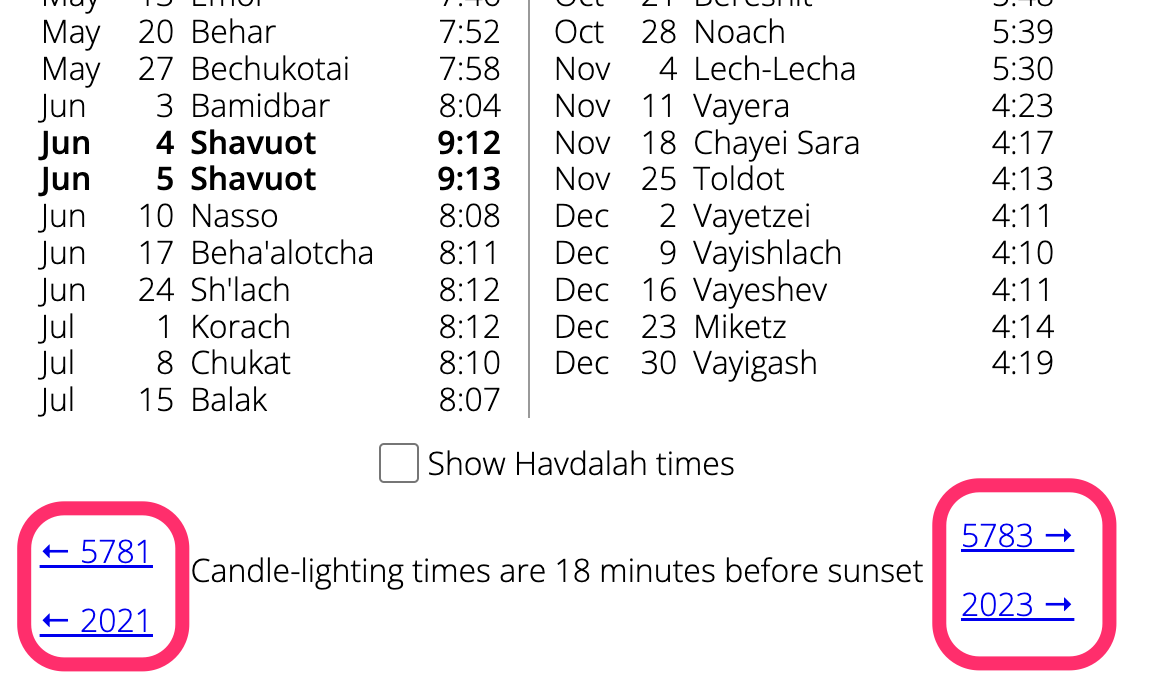
You can visit the Candle-lighting Times Year at a Glance page and enter your location. Then, at the bottom of the printable page we have added prev/next links with both Hebrew and Gregorian years:

thanks so much for these suggestions. We will plan to add these missing items to our leyning web pages and CSV files
Thanks for using Hebcal.
Hebcal Torah pages link to World ORT's Navigating the Bible II, a free online resource located at https://bible.ort.org/
Unfortunately, it looks like ORT's website is not working today. This may be a temporary issue.
You might consider trying an alternative, such as https://www.pockettorah.com/ (free) or https://troptrainer.com/ (not free, but very high quality).
Hebcal is not affiliated with World ORT or with TropeTrainer or PocketTorah.
Confirmed that this indeed was an error in the original 1988 CJLS triennial reading document. We've published the corrected reading on the hebcal.com website.
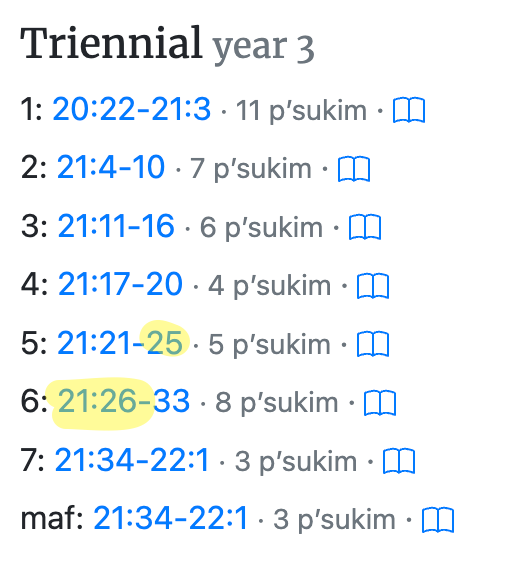
Confirmed that this indeed was an error in the original 1988 CJLS triennial reading document. We've published the corrected reading on the hebcal.com website.
Thanks for using Hebcal, and thanks for this message.
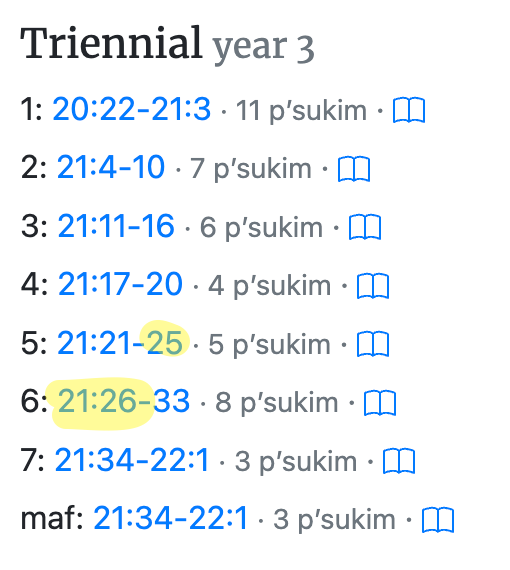
We're investigating the discrepancy. Per the official CJLS triennial publications, it appears to be intentional to have the 6th aliyah begin with verse 21:25 (repeating the last verse from the 5th aliyah).
We have contacted Rabbi Miles Cohen and asked him for clarification.
See more info here:
Hebcal Torah readings come directly from A Complete Triennial System for Reading the Torah, published by the Committee on Jewish Law and Standards of the Rabbinical Assembly.
It appeared to be intentional (highlighting mine):
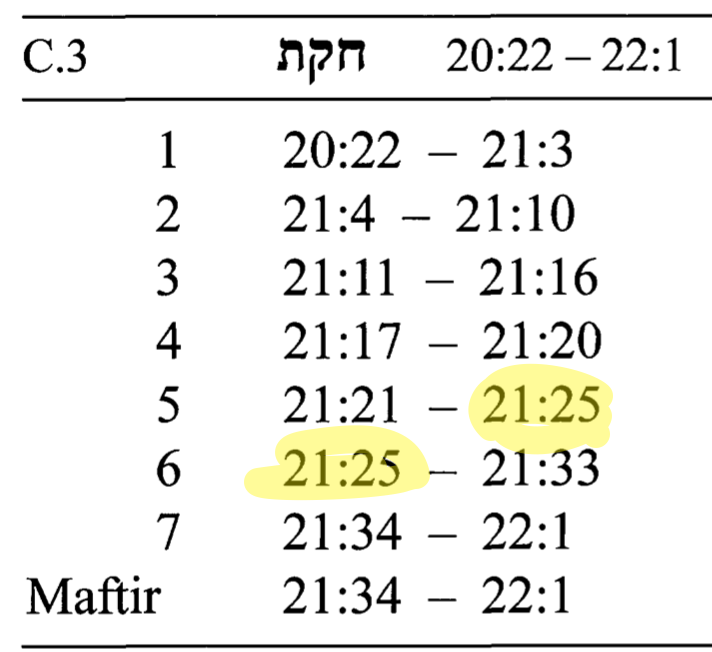
However, Rabbi Miles B Cohen's luach 5782 (page 189) appears to differ:
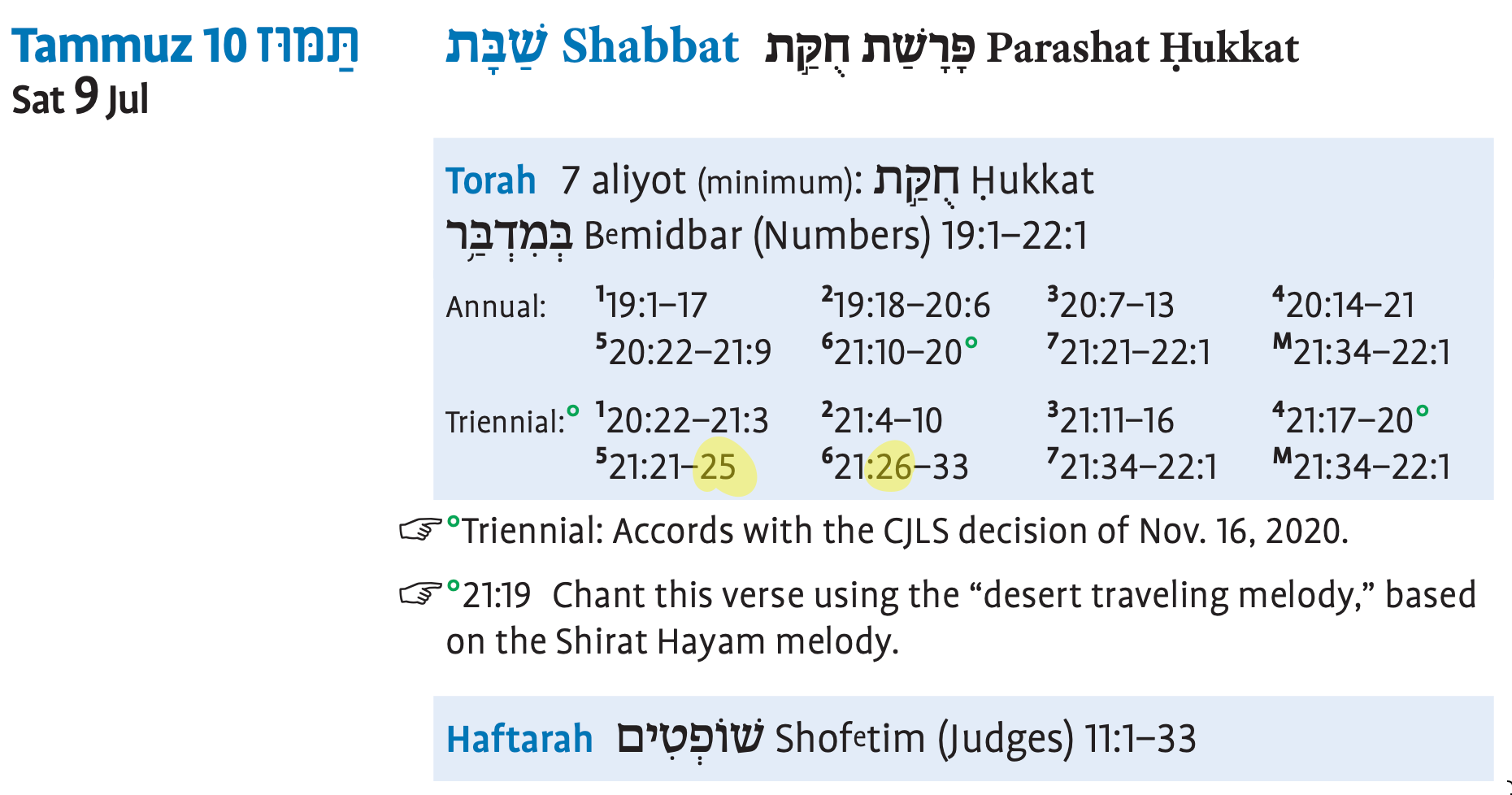
We'll take another look at the CJLS decision of Nov. 16, 2020 and see if the readings need to be revised.
Thanks for using Hebcal, and thanks for taking the time to post this message.
As I understand your post, you are looking to change the way Google Calendar formats events in the month view. You'd like the Hebcal daily Hebrew Dates to appear at the top of each day in the calendar month grid. Did I understand correctly?
Unfortunately, we do not have any way to influence how the Google Calendar month view works.
You might have better luck with Apple Calendar. In Apple Calendar, you can change the order of the calendars in the sidebar by dragging them up or down in the list. Calendars higher in the sidebar list will print closer to the top of each day in the month, week or day views. Calendars lower in the list will print closer to the bottom of each day.
We hope this helps!
If other readers have other suggestions, we'd love to hear them!
Thanks for contacting Hebcal.
I am sorry but we lack the expertise to assist with your project. Good luck!
Customer support service by UserEcho

Hi, thanks for using Hebcal.
If you want to merge Hebcal events with your calendar you can click the smaller "Download 2022 only" button at the bottom of the dialog box like so: