- General
-
 Bugs
Bugs

Yahrzeit Reminders
My yahrzeits are showing up twice . . . once on the evening it starts, around the time to light a candle and again the next day in the "all day" area at the top of my Apple calendar. Is there a way to delete the evening one and just have it show up at the top?
Answer

Hi Kay,
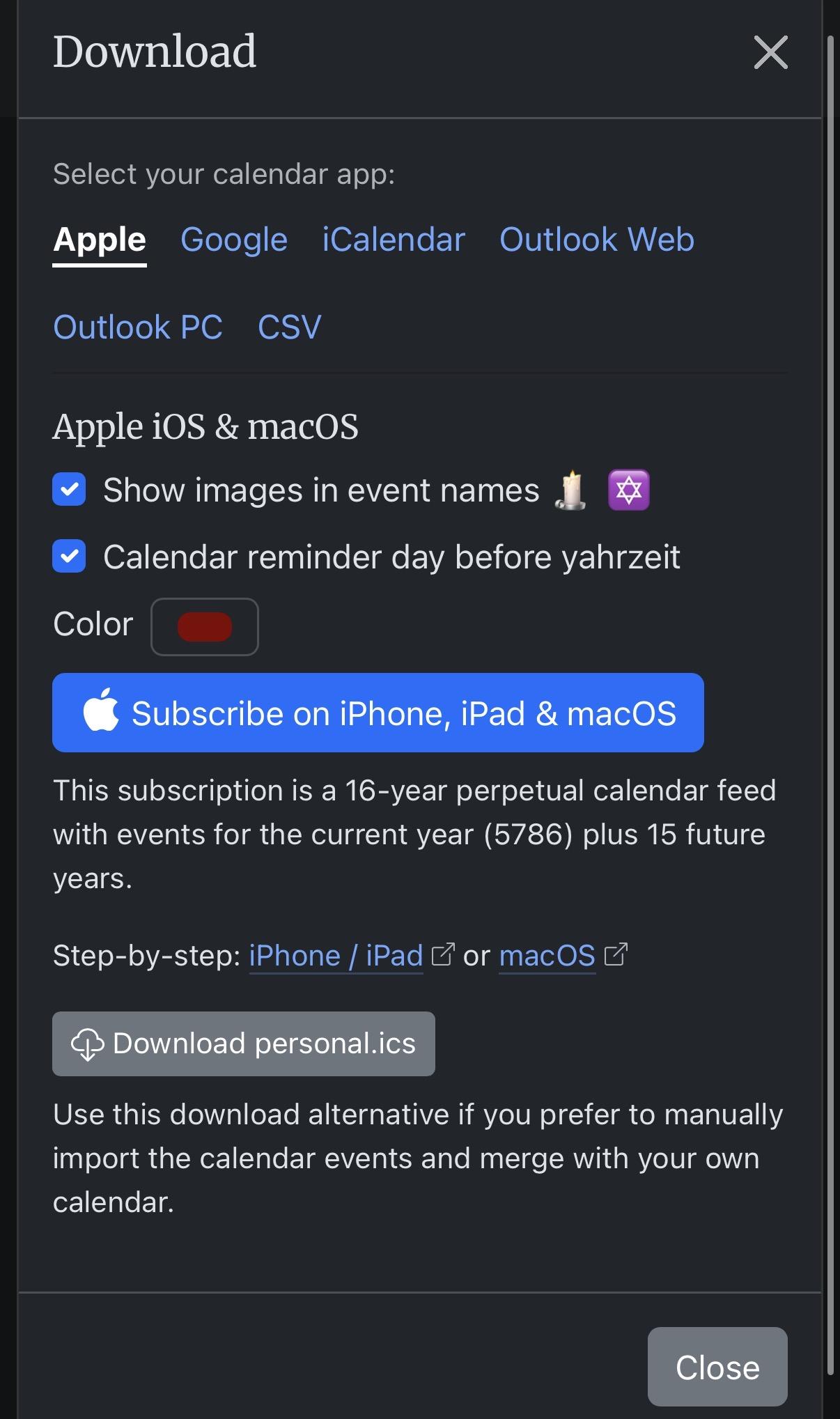
Thanks for reaching out! The evening entry you’re seeing is likely coming from the “Calendar reminder day before yahrzeit” option, which adds a separate reminder the evening before the actual yahrzeit date. This is in addition to the main all-day yahrzeit event.
To stop the evening entry from showing up, just uncheck the “Calendar reminder day before yahrzeit” box on the Download page before subscribing or downloading your .ics file. That should leave you with just the all-day event at the top of your calendar, without the extra evening reminder.
If you’ve already subscribed, you’ll want to re-subscribe (or re-download) after unchecking that box so the calendar feed updates.
Let me know if that resolves it!
Customer support service by UserEcho

Hi Kay,
Thanks for reaching out! The evening entry you’re seeing is likely coming from the “Calendar reminder day before yahrzeit” option, which adds a separate reminder the evening before the actual yahrzeit date. This is in addition to the main all-day yahrzeit event.
To stop the evening entry from showing up, just uncheck the “Calendar reminder day before yahrzeit” box on the Download page before subscribing or downloading your .ics file. That should leave you with just the all-day event at the top of your calendar, without the extra evening reminder.
If you’ve already subscribed, you’ll want to re-subscribe (or re-download) after unchecking that box so the calendar feed updates.
Let me know if that resolves it!