- General
-
 Questions

Outlook for mac calendar does not show hebrew dates
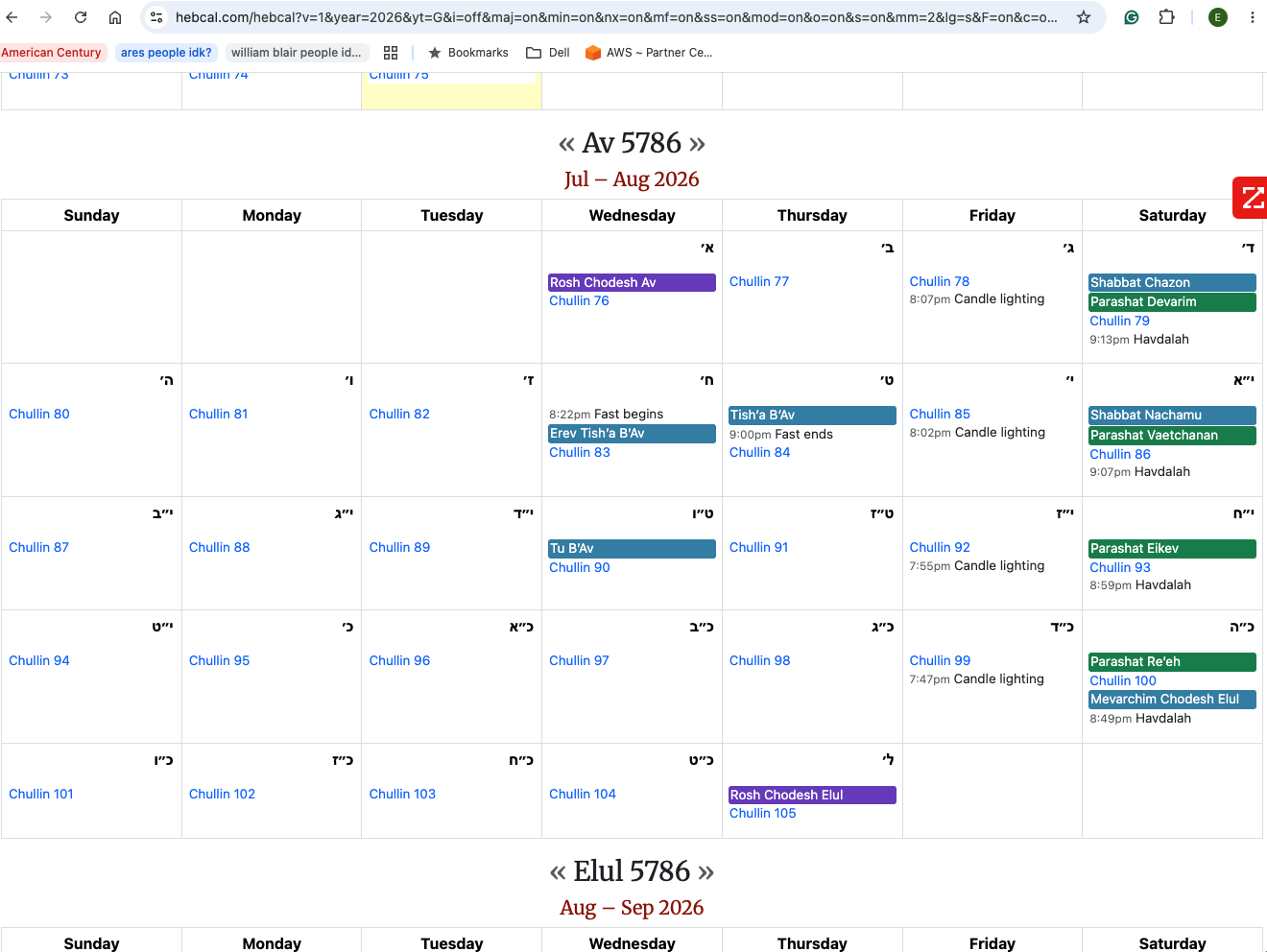
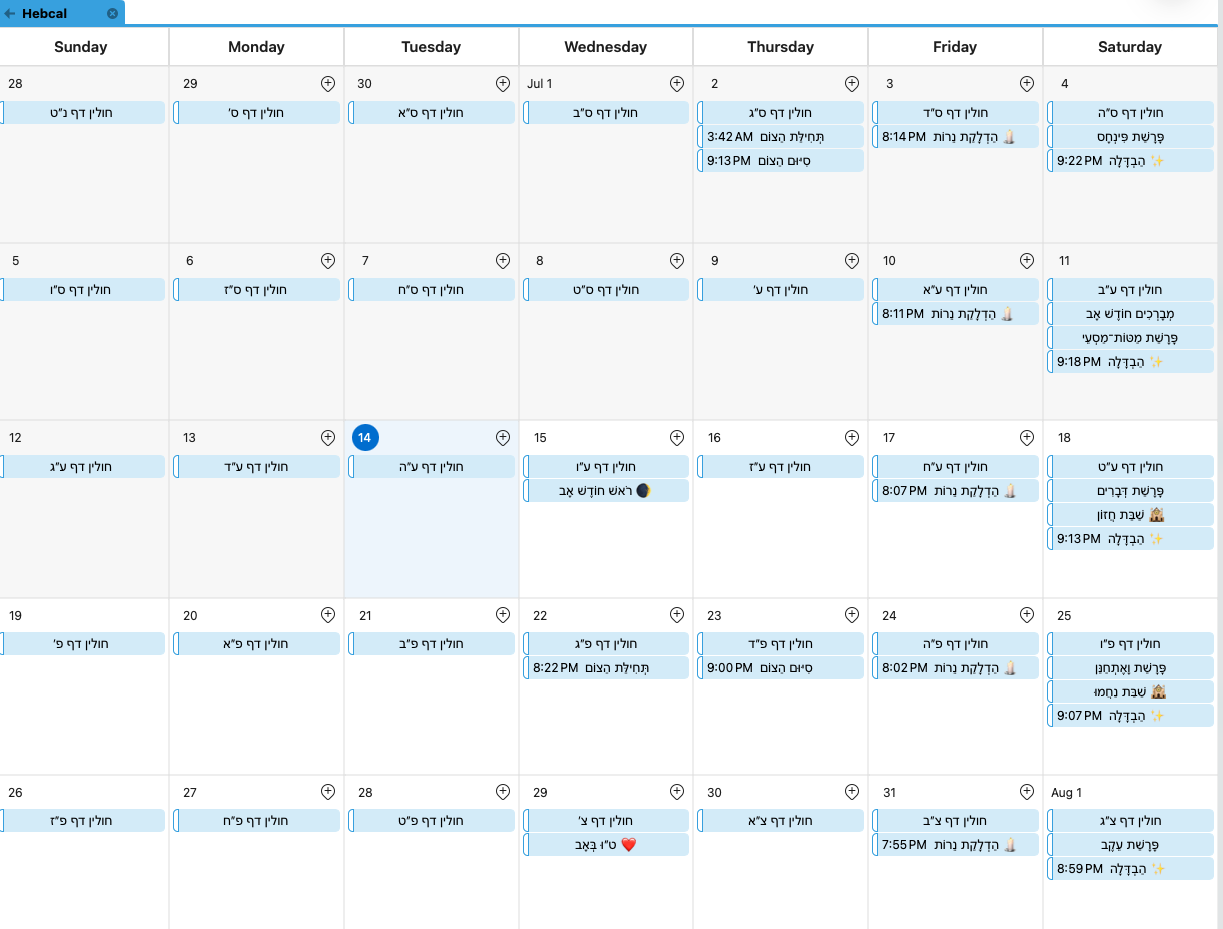
The Hebcal Calendar version on the web shows Hebrew dates in Hebrew letters, but when converting to ICS, only events and holidays are shown with Hebrew dates, and the dates for the other days are missing. See images:
One image is the Web Version with Hebrew Dates, and the second image is a screenshot from MacBook Outlook Calendar showing only holidays but no Hebrew dates.
Answer

Thanks for the screenshots — that makes the difference clear.
What you're seeing on hebcal.com is our fully Hebrew calendar view, which we added in December 2025. It uses Hebrew months as the primary structure and shows Gregorian dates as secondary annotations. That layout only exists in our web view and in the printable PDF output, because it requires a calendar grid built around Hebrew months.
ICS (iCalendar) feeds can't reproduce that. The iCalendar standard is Gregorian-only — every event has a Gregorian start date, and there's no way to express "this month is Tammuz" to a calendar app. Outlook (and Google Calendar, Apple Calendar, etc.) only render a Gregorian grid, so a subscribed feed can never invert into Hebrew months. That's a limitation of the format and the calendar apps, not of the feed itself.
The closest equivalent in Outlook is to have every day carry its Hebrew date as an event. On the custom calendar page, switch back to the Gregorian layout and check "Hebrew date every day of the year" (rather than "for dates with some event", which is what your current feed appears to use — that's why only holidays show a Hebrew date). Regenerate the feed and re-subscribe, and you'll get a Hebrew date entry on all 365 days alongside the holidays.
If your goal is a fully Hebrew month layout you can actually look at, the printable PDF from the web view is the way to get that today.
Hope that helps — let us know if the regenerated feed doesn't come through correctly.
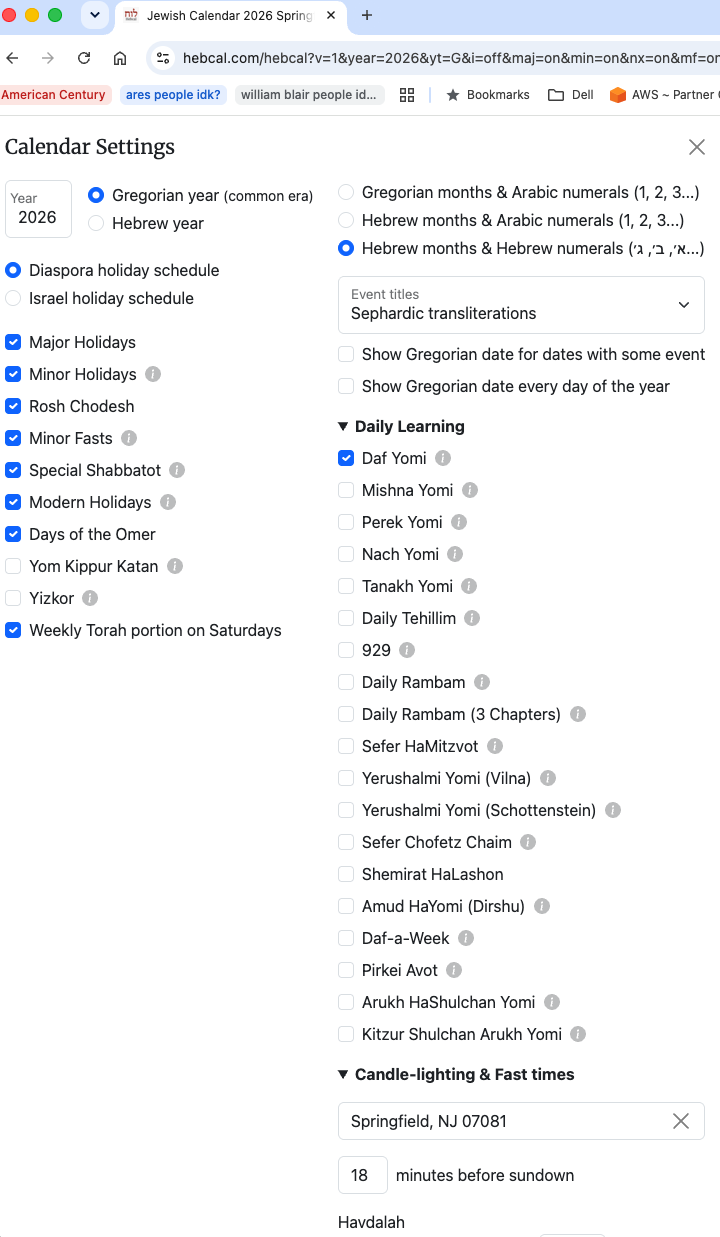
Hi Michael, I believe my custom settings are exactly as you described (attached a screenshot of the settings). It was always on Hebrew Months & Hebrew Numerals. Is there something I am missing? I am aware that I get the Hebrew numerals for events like Tu Be’Av, etc.
Attached is the image of the calendar settings. Thanks for all the help.
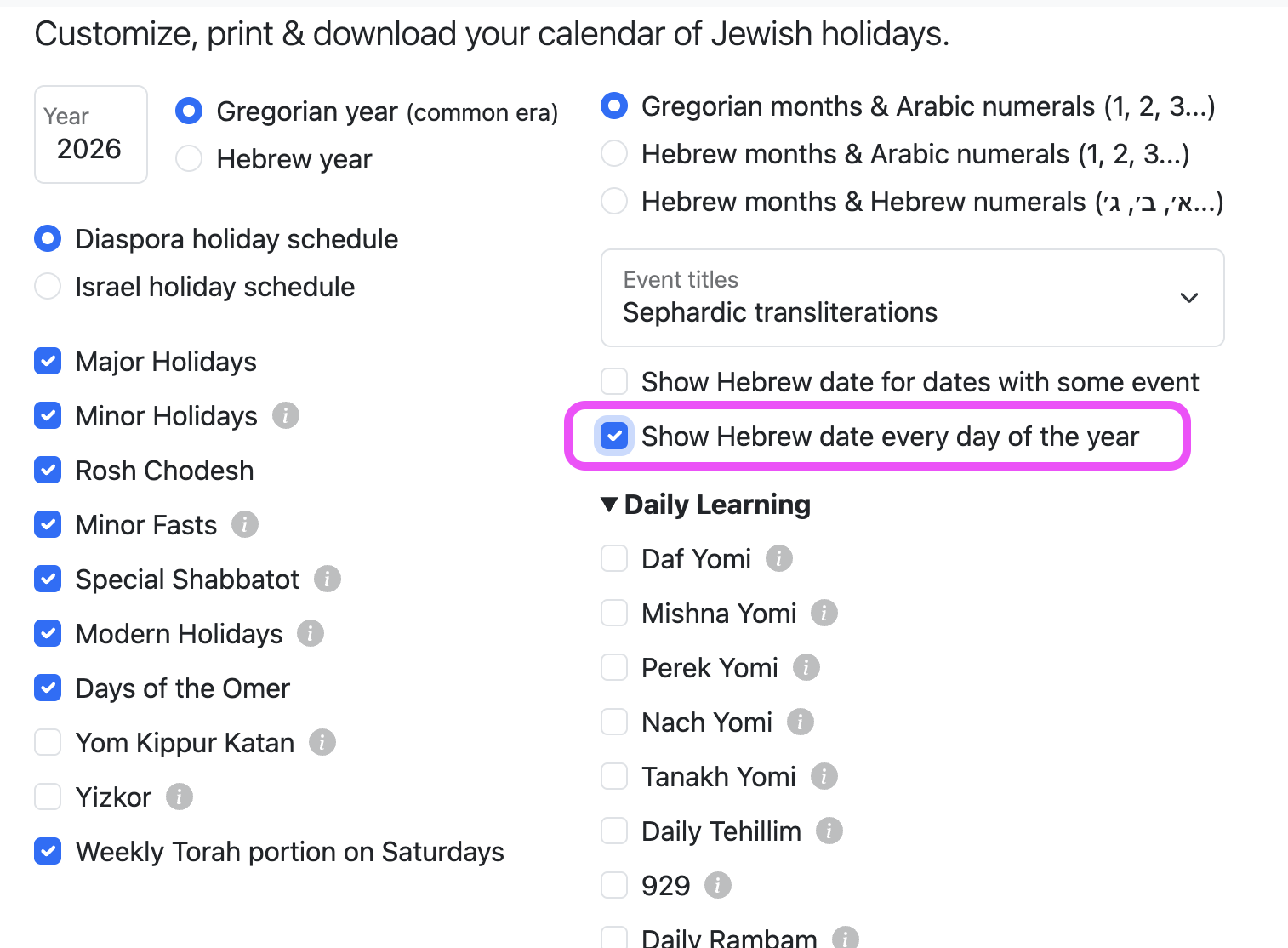
Before exporting to Outlook, you want to check the "Show Hebrew date every day of the year" option
Customer support service by UserEcho

Thanks for the screenshots — that makes the difference clear.
What you're seeing on hebcal.com is our fully Hebrew calendar view, which we added in December 2025. It uses Hebrew months as the primary structure and shows Gregorian dates as secondary annotations. That layout only exists in our web view and in the printable PDF output, because it requires a calendar grid built around Hebrew months.
ICS (iCalendar) feeds can't reproduce that. The iCalendar standard is Gregorian-only — every event has a Gregorian start date, and there's no way to express "this month is Tammuz" to a calendar app. Outlook (and Google Calendar, Apple Calendar, etc.) only render a Gregorian grid, so a subscribed feed can never invert into Hebrew months. That's a limitation of the format and the calendar apps, not of the feed itself.
The closest equivalent in Outlook is to have every day carry its Hebrew date as an event. On the custom calendar page, switch back to the Gregorian layout and check "Hebrew date every day of the year" (rather than "for dates with some event", which is what your current feed appears to use — that's why only holidays show a Hebrew date). Regenerate the feed and re-subscribe, and you'll get a Hebrew date entry on all 365 days alongside the holidays.
If your goal is a fully Hebrew month layout you can actually look at, the printable PDF from the web view is the way to get that today.
Hope that helps — let us know if the regenerated feed doesn't come through correctly.